Male and Female Voicesपुरुष और महिला आवाज़ें

Male and Female
Voices Available
पुरुष और महिला
आवाज़ में उपलब्ध

Experience the natural Hindi AI assistant with dual voice options.

दो आवाज़ों के विकल्प के साथ स्वाभाविक हिंदी AI असिस्टेंट का अनुभव करें।

Works on all Android phones • Hindi, Hinglish & Englishसभी Android फ़ोन पर • हिंदी, हिंग्लिश और अंग्रेज़ी

Steve and Mayra, male and female AI voices
Maleपुरुष (Male)Femaleमहिला (Female)

What can Sarthi do?सारथी क्या-क्या कर सकता है?

Everything you do daily, made simple and fun.

आपके रोज़ के सारे काम, आसान और मज़ेदार तरीके से।

🎙️

Talk by voiceआवाज़ से बात करें

Speak and hear natural replies in Hindi, Hinglish and English.

बोलिए और हिंदी, हिंग्लिश व अंग्रेज़ी में स्वाभाविक जवाब सुनिए।

📱

Phone controlफ़ोन कंट्रोल

Open apps, play songs on YouTube, change songs, pause or set volume by voice.

ऐप खोलें, YouTube पर गाना बजाएँ, गाना बदलें, पॉज़ करें या वॉल्यूम सेट करें, सिर्फ़ बोलकर।

🎨

Creative Studioक्रिएटिव स्टूडियो

Upload photos or videos, generate images, make voice-overs and script-to-video.

फ़ोटो/वीडियो अपलोड करें, इमेज बनवाएँ, वॉइस-ओवर और स्क्रिप्ट से वीडियो बनाएँ।

🩺

AI Doctor modesAI डॉक्टर मोड

Ayurvedic, Homeopathy, Surgeon and AI Doctor modes for general information.

आयुर्वेदिक, होम्योपैथी, सर्जन और AI डॉक्टर मोड, सामान्य जानकारी के लिए।

📞

Call assistantकॉल असिस्टेंट

Tells you who is calling. Can talk to spam callers and end the call for you.

बताता है कि कौन कॉल कर रहा है। स्पैम कॉल करने वालों से खुद बात करके कॉल काट सकता है।

🌙

Works in backgroundबैकग्राउंड में भी

Keeps listening when the phone is locked. Wakes only on your secret code.

फ़ोन लॉक होने पर भी सुनता रहता है। सिर्फ़ आपके सीक्रेट कोड पर जागता है।

🔐

Secure accountसुरक्षित अकाउंट

Login by email or mobile. Forgot password? Get an OTP on your email.

ईमेल या मोबाइल से लॉगिन। पासवर्ड भूल गए? ईमेल पर OTP पाएँ।

👨‍⚕️

Two voicesदो आवाज़ें

Choose Steve (male) or Mayra (female) and set your own name and gender.

स्टीव (पुरुष) या मायरा (महिला) चुनें और अपना नाम व जेंडर सेट करें।

🌈

26+ orb styles26+ ऑर्ब स्टाइल

Pick a look you love: robot buddy, galaxy, neon rings and many more.

अपना पसंदीदा लुक चुनें: रोबो बडी, गैलेक्सी, नियॉन रिंग्स और भी बहुत कुछ।
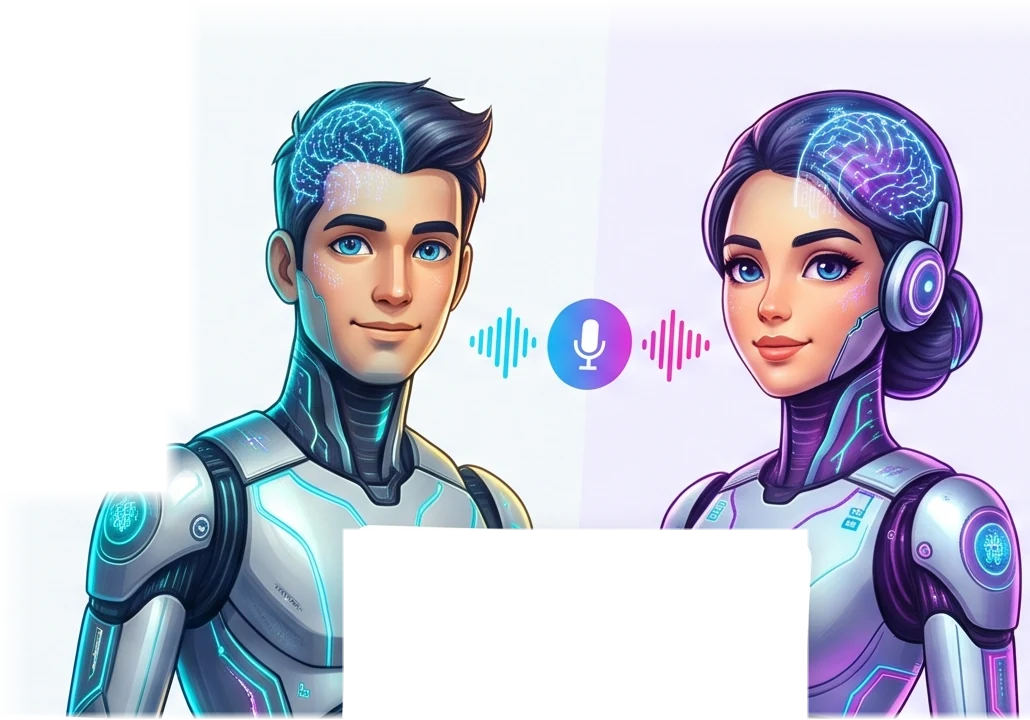
Meet your two voicesमिलिए अपनी दो आवाज़ों से

Pick the one that feels right. Tell Sarthi your name and gender, and it will talk to you the right way.

जो पसंद आए वो चुनिए। अपना नाम और जेंडर बताइए, सारथी उसी तरह आपसे बात करेगा।

Steve

Steve

Calm, clear male voice

शांत और साफ़ पुरुष आवाज़

Mayra

Mayra

Warm, friendly female voice

मधुर और दोस्ताना महिला आवाज़

How it worksयह कैसे काम करता है?

Just 3 steps.

सिर्फ़ 3 कदम।

Install the appऐप इंस्टॉल करें

Download the APK, install it and create your account.

APK डाउनलोड करें, इंस्टॉल करें और अकाउंट बनाएँ।

Add your AI keyअपनी AI key जोड़ें

Paste a free Gemini or Groq API key in Settings.

सेटिंग्स में Gemini या Groq की फ्री API key डालें।

Start talkingबोलना शुरू करें

Tap the orb or turn on background mode, then just speak.

ऑर्ब दबाएँ या बैकग्राउंड मोड ऑन करें, फिर बस बोलें।

26+Orb stylesऑर्ब स्टाइल
4Doctor modesडॉक्टर मोड
2Voicesआवाज़ें
24×7Background modeबैकग्राउंड मोड

Simple pricingसीधी-सादी कीमत

No hidden charges. Paid features, if any, will always be shown before you pay.

कोई छुपा शुल्क नहीं। पेड फ़ीचर, अगर आए, तो भुगतान से पहले हमेशा दिखाए जाएँगे।

Freeफ्री

₹0

All features today. Use your own Gemini or Groq API key (free plans available from them).

आज के सारे फ़ीचर। अपनी Gemini या Groq API key इस्तेमाल करें (उनके फ्री प्लान उपलब्ध हैं)।

Get APKAPK पाएँ

Pro

Coming soonजल्द आ रहा है

Extra features in future. See our Refund & Cancellation policy.

भविष्य में अतिरिक्त फ़ीचर। हमारी रिफंड व कैंसिलेशन नीति देखें।

Read policyनीति पढ़ें

Try Sarthi todayआज ही सारथी आज़माएँ

Works on all Android phones (Android 8.0 and above). While installing you may need to allow “unknown sources”.

सभी Android फ़ोन पर चलता है (Android 8.0 या उससे ऊपर)। इंस्टॉल करते समय “अनजान स्रोत” की अनुमति देनी पड़ सकती है।

⬇ Download Sarthi.apk⬇ Sarthi.apk डाउनलोड करें   Install help (FAQ)इंस्टॉल में दिक्कत? (FAQ)